Top 5 Best Jupyter Notebook Extensions
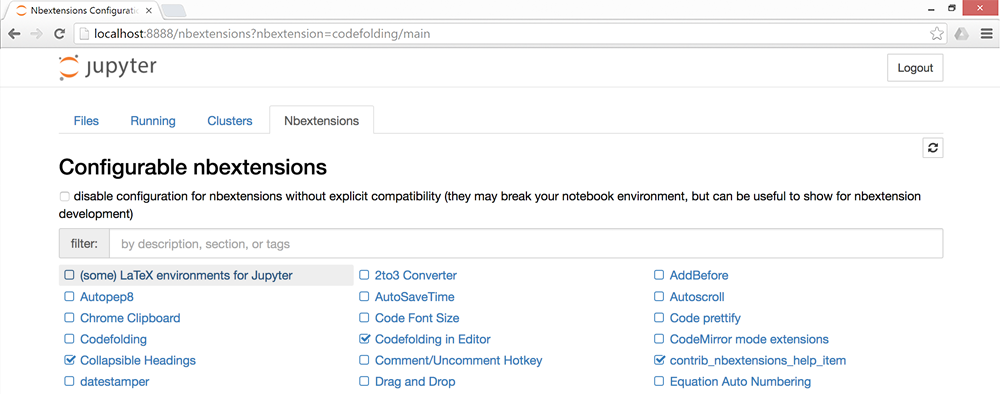
Notebook extensions are plug-ins that you can easily add to your Jupyter notebooks. The best way to install them is to use Jupyter NbExtensions Configurator. It will add a tab to let you enable/disable extensions:
Installation
Installation with conda:
conda install -c conda-forge jupyter_contrib_nbextensions
conda install -c conda-forge jupyter_nbextensions_configurator
Or with pip:
pip install jupyter_nbextensions_configurator jupyter_contrib_nbextensions
jupyter contrib nbextension install --user
jupyter nbextensions_configurator enable --user
Find more info about installation here
1 - Collapsible headings
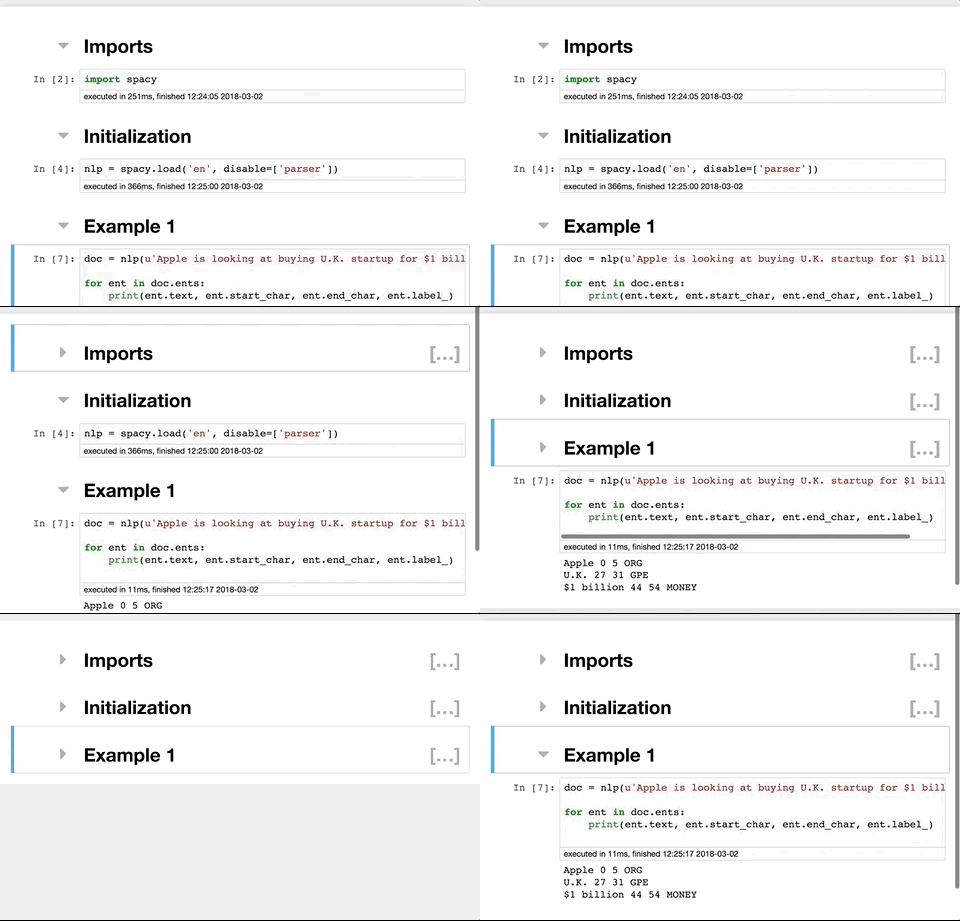
Very useful when dealing with large notebooks, collapsible headings allow you to collapse some parts of the notebooks.
2 - Notify
For long running task, the notify extension sends a notification when the notebook becomes idle.
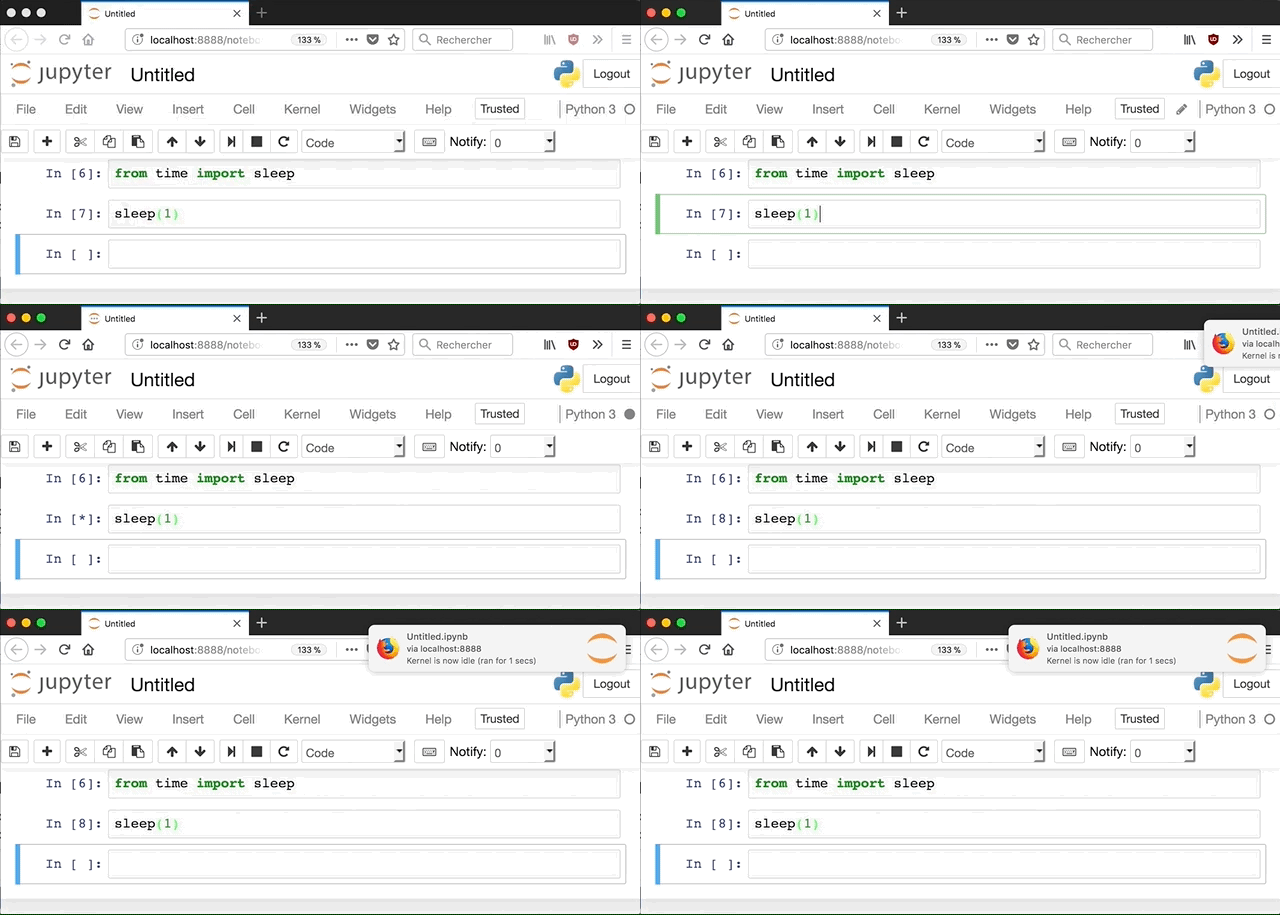
To use it, enable the extension and then enable it in the button bar. The number you select is the minimum time the notebook has to run for you to get a notification (Note that you have to keep the notebook open in the browser for the notification to work)
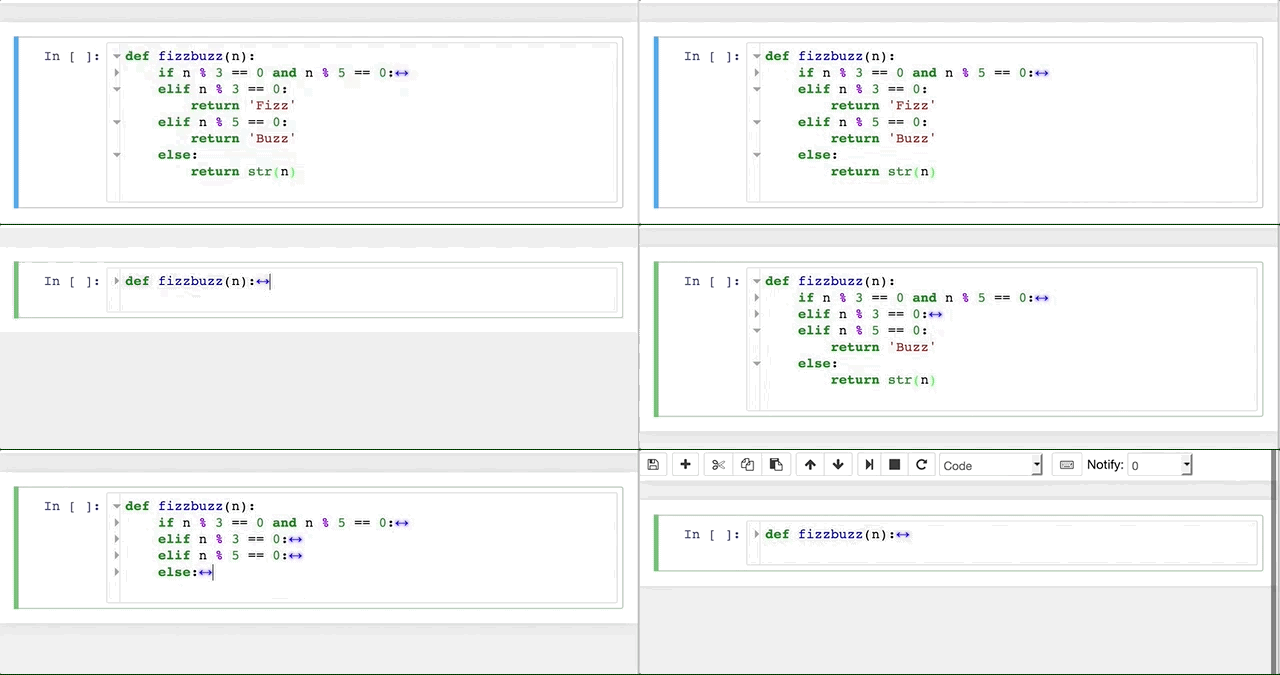
3 - Code folding
4 - tqdm_notebook
This one is not really an notebook extension. TQDM is a progress bar library. But it sometimes fails to work properly on Jupyter Notebooks. Thanks to Randy Olson for the tip:
TIL: tqdm (the #Python progress bar library) has a specialized "tqdm_notebook" function for use in Jupyter Notebooks.
— Randy Olson (@randal_olson) 2 mars 2018
No more messed up progress bars in my notebooks - hooray!https://t.co/r0jAQXQ6TM pic.twitter.com/FyYBRm2qE1
5 - %debug
Not a notebook extension but an IPython magic command. For a great explanation, I suggest reading the full twitter thread from Radek Osmulski
Favorite recent jupyter notebook discovery - the %debug magic:
— Radek (@radekosmulski) 26 décembre 2017
1. Get an exception.
2. Insert a new cell, type %debug and run it.
An interactive debugger will open bringing you to where the exception occurred and allowing you to look around! pic.twitter.com/9DSnSbpu15
6 - Smaller extensions and other tips
-
%lsmagic: Run this in a cell to list all available IPython magics
-
Zen mode extension: removes the menus for less distractions
-
Execute time extension: shows how long a cell took to run
-
autoreload: Autoreloads external files without having to restart the notebook. To enable it:
  %load_ext autoreload
  %autoreload 2
You know a must-have notebook extension ? Hit me on twitter or make a pull request on this blog post !
Edit on Wed, Mar 7, 2018:
Some people on Reddit suggested a few more:
- Variable inspector: displays all variables in a floating window
- CodeMirror Keymap: lets you choose between key bindings, such as vim
- Scratchpad: executes code against the current kernel without modifying the notebook document
- Splitcells: splits cells vertically